

Prerequisites
- Phala Cloud account
- Basic understanding of Docker Compose syntax
- A valid
docker-compose.ymlfor your application
Deploy in Advanced Mode
Phala Cloud supports standard Docker Compose syntax in a secure TEE environment.- Go to the deployment section in the dashboard.
- Switch to the Advanced tab.
- Edit and validate your Docker Compose content in the built-in editor.
What You Can Configure
With Docker Compose deployment, you can:- Specify Docker image names and versions
- Configure port mappings for public services
- Define environment variables
- Configure volume mounts for persistence
- Deploy multiple services in one CVM
Multi-Service Deployments
All services in one compose file run inside the same CVM, enabling secure service-to-service communication within the trusted environment.Private Container Registry
For proprietary or restricted images, Phala Cloud supports private registries including Docker Hub, , and AWS . ➡️ Learn more about private registry deploymentExample Interface
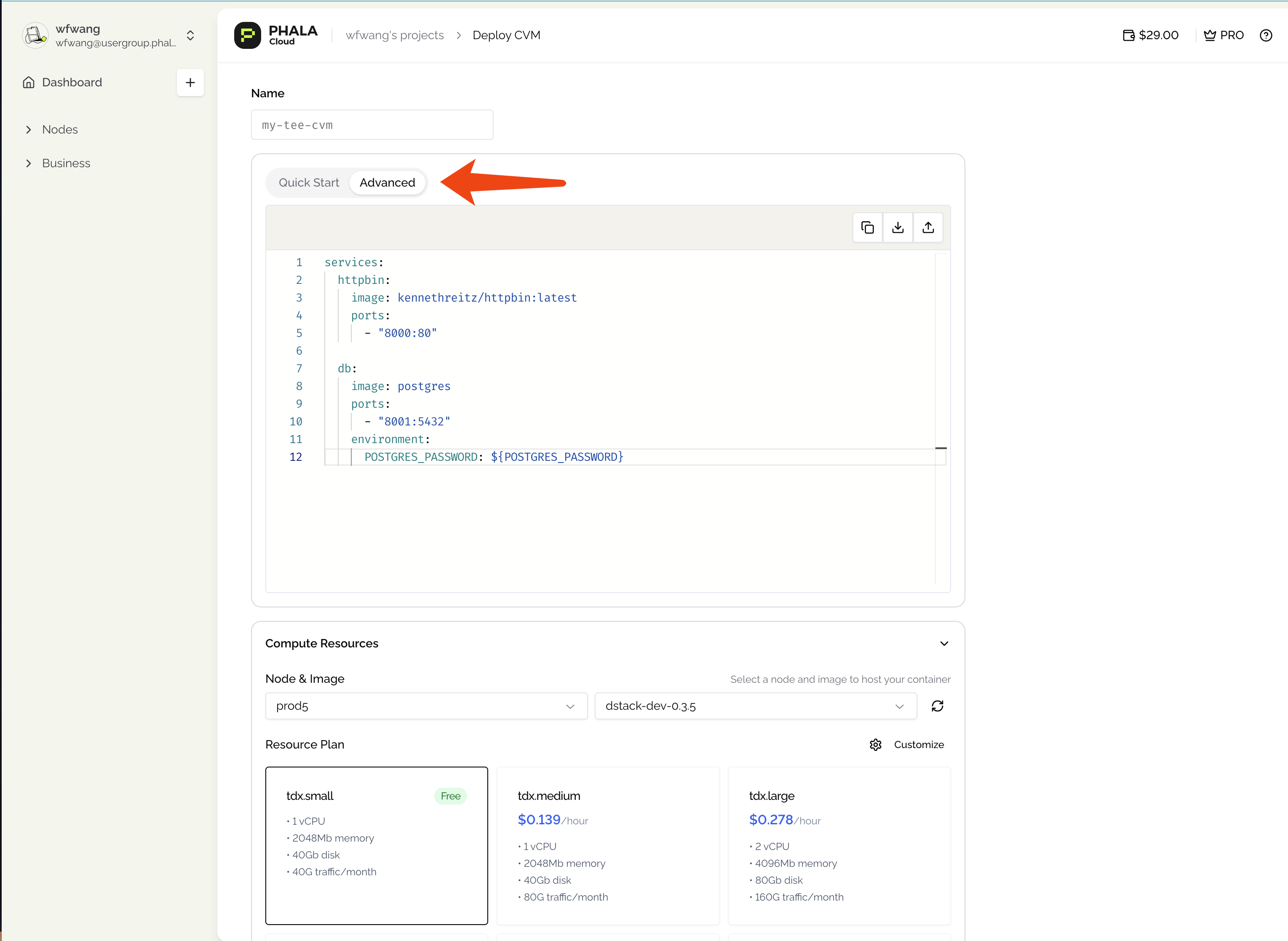
Docker Compose deployment interface