> ## Documentation Index
> Fetch the complete documentation index at: https://docs.phala.com/llms.txt
> Use this file to discover all available pages before exploring further.
> Create and manage Confidential Virtual Machines (CVMs) on Phala Cloud.
# Serials Logs
## Log Types in Phala Cloud
Phala Cloud provides two distinct types of logs to help you monitor and troubleshoot your applications:
### CVM Logs
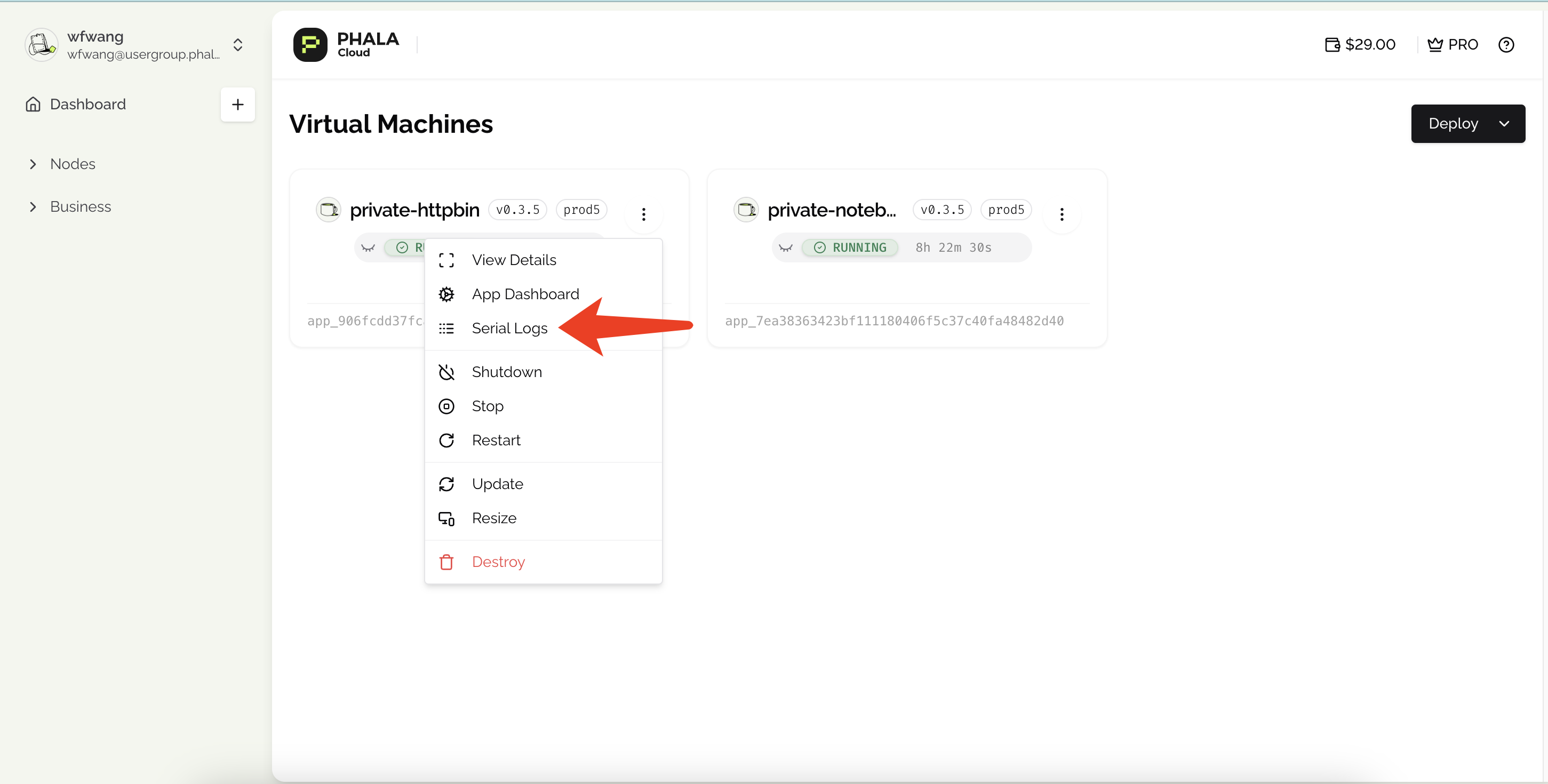
CVM logs show the bootstrapping process of your application, including:
* Default RA report generation
* Docker image downloads
* System initialization events
**How to access:** Click the **Serial Logs** button in the CVM card.
 ### Docker Logs, e.g. your application's output log
Docker logs contain your application's runtime output, providing insights into its behavior and any issues that may arise during execution.
**Visibility settings:** During deployment, you can choose to make these logs public in the **Advanced Features** section. When public, anyone with the log URL can view them.
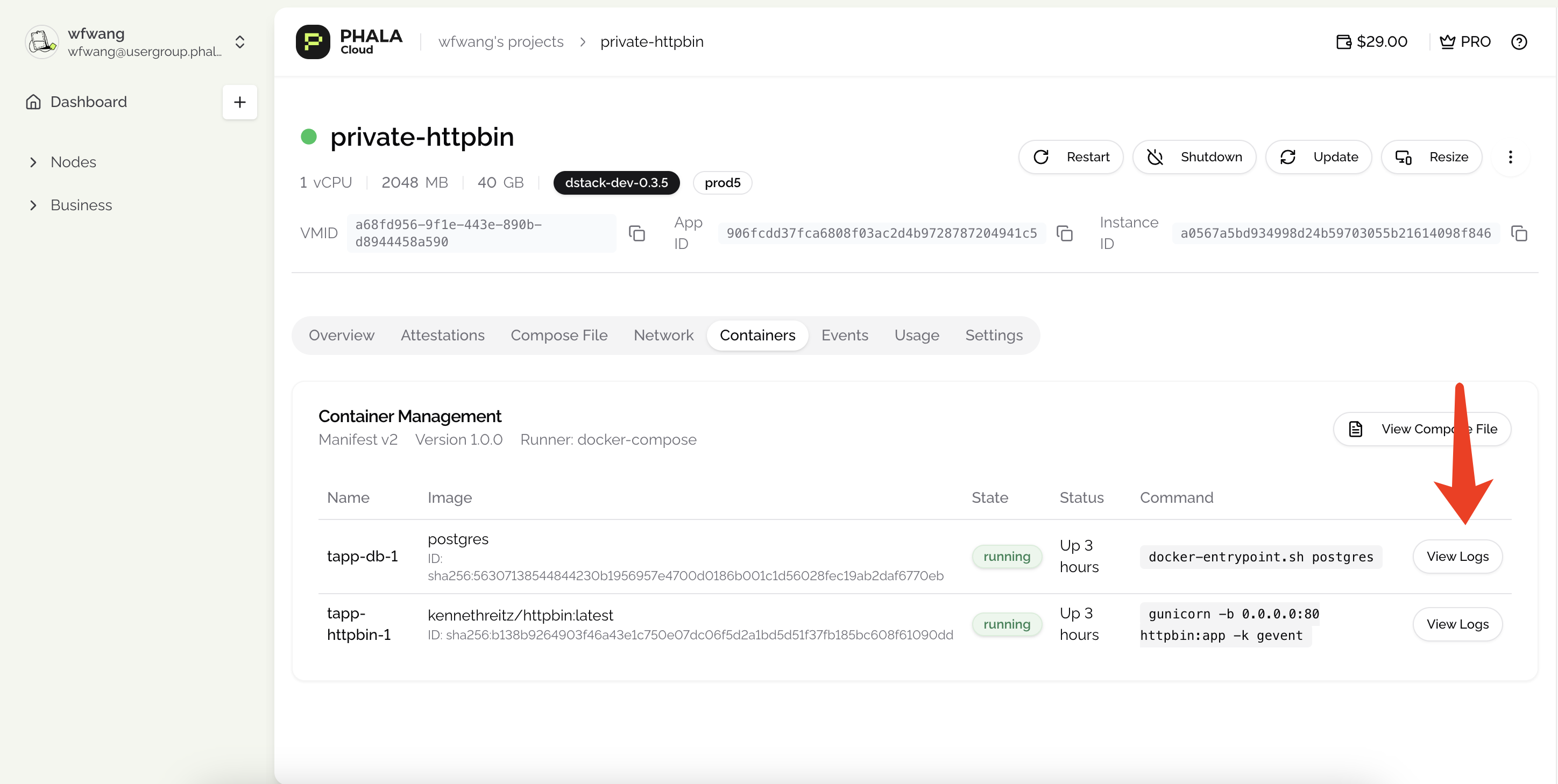
**How to access:** Navigate to the detailed page and locate the **Containers** section.
### Docker Logs, e.g. your application's output log
Docker logs contain your application's runtime output, providing insights into its behavior and any issues that may arise during execution.
**Visibility settings:** During deployment, you can choose to make these logs public in the **Advanced Features** section. When public, anyone with the log URL can view them.
**How to access:** Navigate to the detailed page and locate the **Containers** section.
 ## Set Private with Log Viewer
Head to the [Private Log Viewer](/phala-cloud/monitoring/private-log-viewer) section if you want to set your logs as private.
## Set Private with Log Viewer
Head to the [Private Log Viewer](/phala-cloud/monitoring/private-log-viewer) section if you want to set your logs as private.