> ## Documentation Index
> Fetch the complete documentation index at: https://docs.phala.com/llms.txt
> Use this file to discover all available pages before exploring further.
# Get and Verify Attestation
> Get a TEE attestation report from your CVM and verify it step by step.
## Introduction
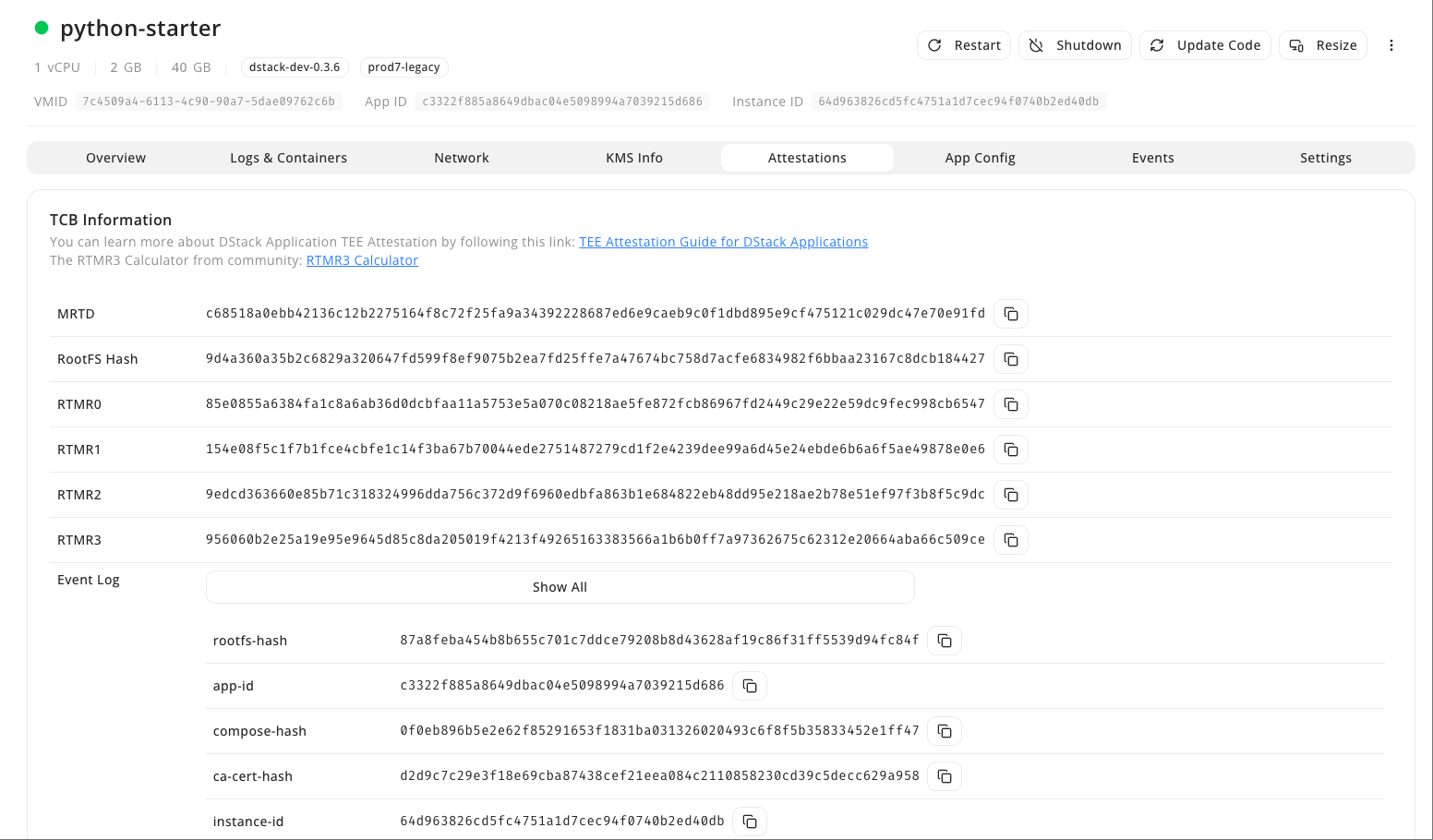
Remote Attestation (RA) lets a remote verifier confirm that an application runs inside a genuine TEE with the expected configuration and code. This guide shows how to access and verify TEE attestation reports in Phala Cloud.
### How to Get the Attestation Report
Navigate to **Attestations** in your CVM's sidebar to view the full Remote Attestation report.
 ## How to Verify Attestation
Scroll down to the **Certificate Chain** section and click the **Check Attestation** button next to **App Cert**.
## How to Verify Attestation
Scroll down to the **Certificate Chain** section and click the **Check Attestation** button next to **App Cert**.
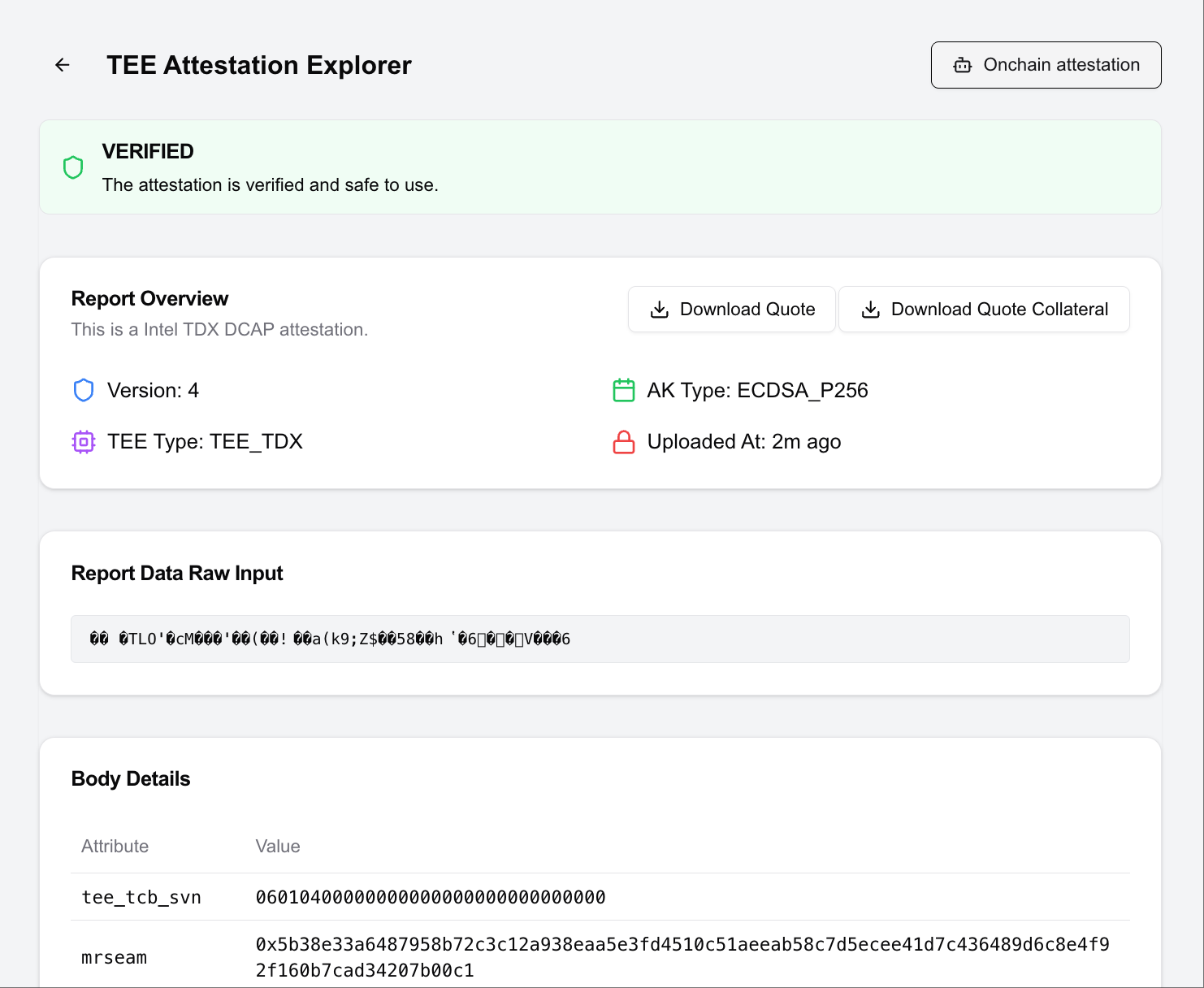
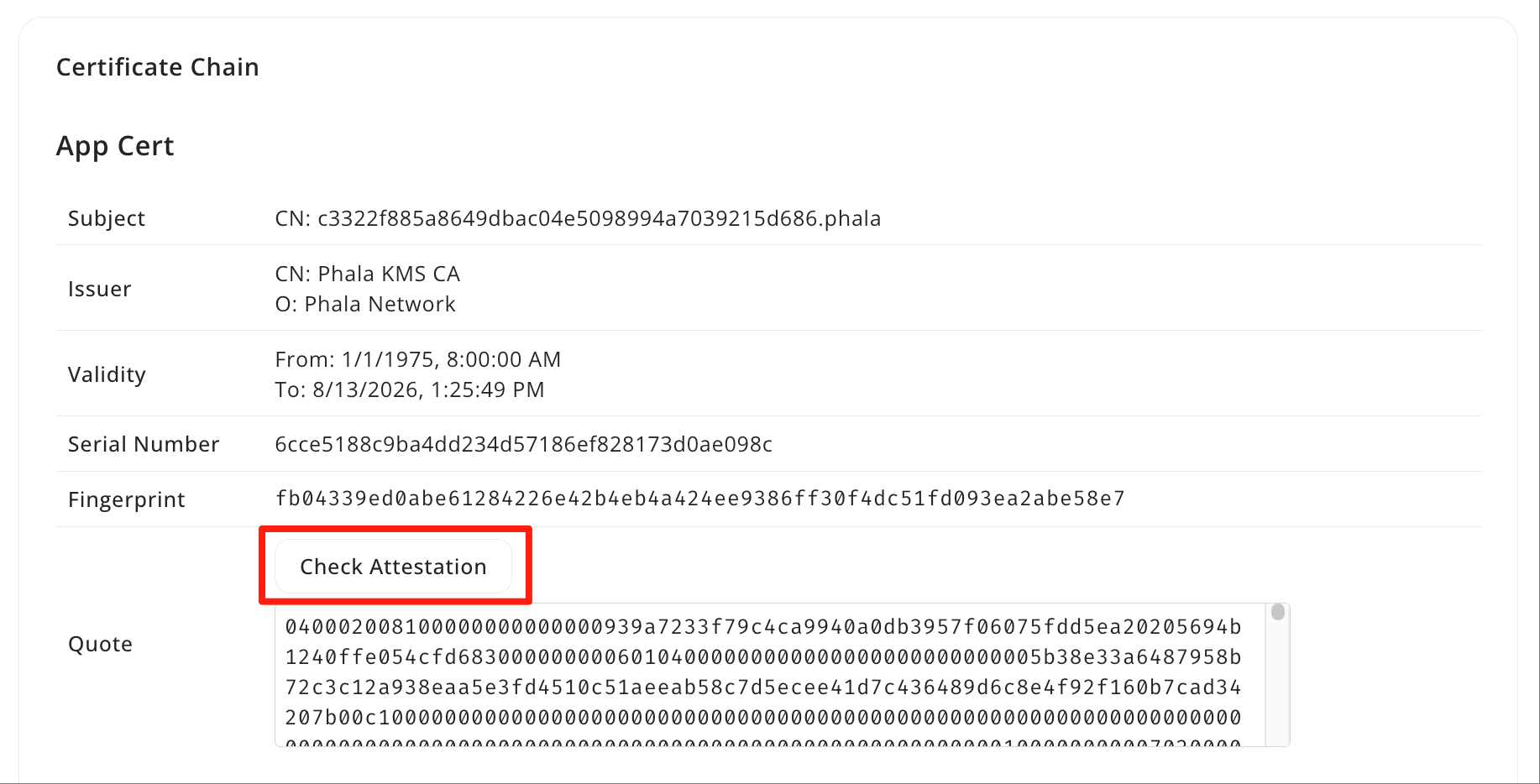 This opens the [TEE Attestation Explorer](https://proof.t16z.com/) where you can verify the attestation quote. You can share this quote with anyone as proof that your application is running inside a genuine TEE.
 You can also request customized Remote Attestation reports programmatically via API: [Generate Remote Attestation](/phala-cloud/attestation/get-attestation).
For more details, see [how dstack attestation works](https://github.com/Dstack-TEE/dstack/blob/master/attestation.md).
You can also request customized Remote Attestation reports programmatically via API: [Generate Remote Attestation](/phala-cloud/attestation/get-attestation).
For more details, see [how dstack attestation works](https://github.com/Dstack-TEE/dstack/blob/master/attestation.md).