> ## Documentation Index
> Fetch the complete documentation index at: https://docs.phala.com/llms.txt
> Use this file to discover all available pages before exploring further.
> Deploy a CVM from a docker-compose.yml file using the Phala Cloud dashboard.
# CVM with Docker Compose
## Prerequisites
* [Phala Cloud account](/phala-cloud/getting-started/sign-up-for-cloud-account)
* Basic understanding of Docker Compose syntax
* A valid `docker-compose.yml` for your application
## Deploy in Advanced Mode
Phala Cloud supports standard Docker Compose syntax in a secure TEE environment.
1. Go to the deployment section in the dashboard.
2. Switch to the **Advanced** tab.
3. Edit and validate your Docker Compose content in the built-in editor.
## What You Can Configure
With Docker Compose deployment, you can:
* Specify Docker image names and versions
* Configure port mappings for public services
* Define environment variables
* Configure volume mounts for persistence
* Deploy multiple services in one CVM
## Multi-Service Deployments
All services in one compose file run inside the same CVM, enabling secure service-to-service communication within the trusted environment.
## Private Container Registry
For proprietary or restricted images, Phala Cloud supports private registries including **Docker Hub**, **GHCR**, and **AWS ECR**.
➡️ [Learn more about private registry deployment](/phala-cloud/cvm/create-with-private-docker-image)
## Example Interface
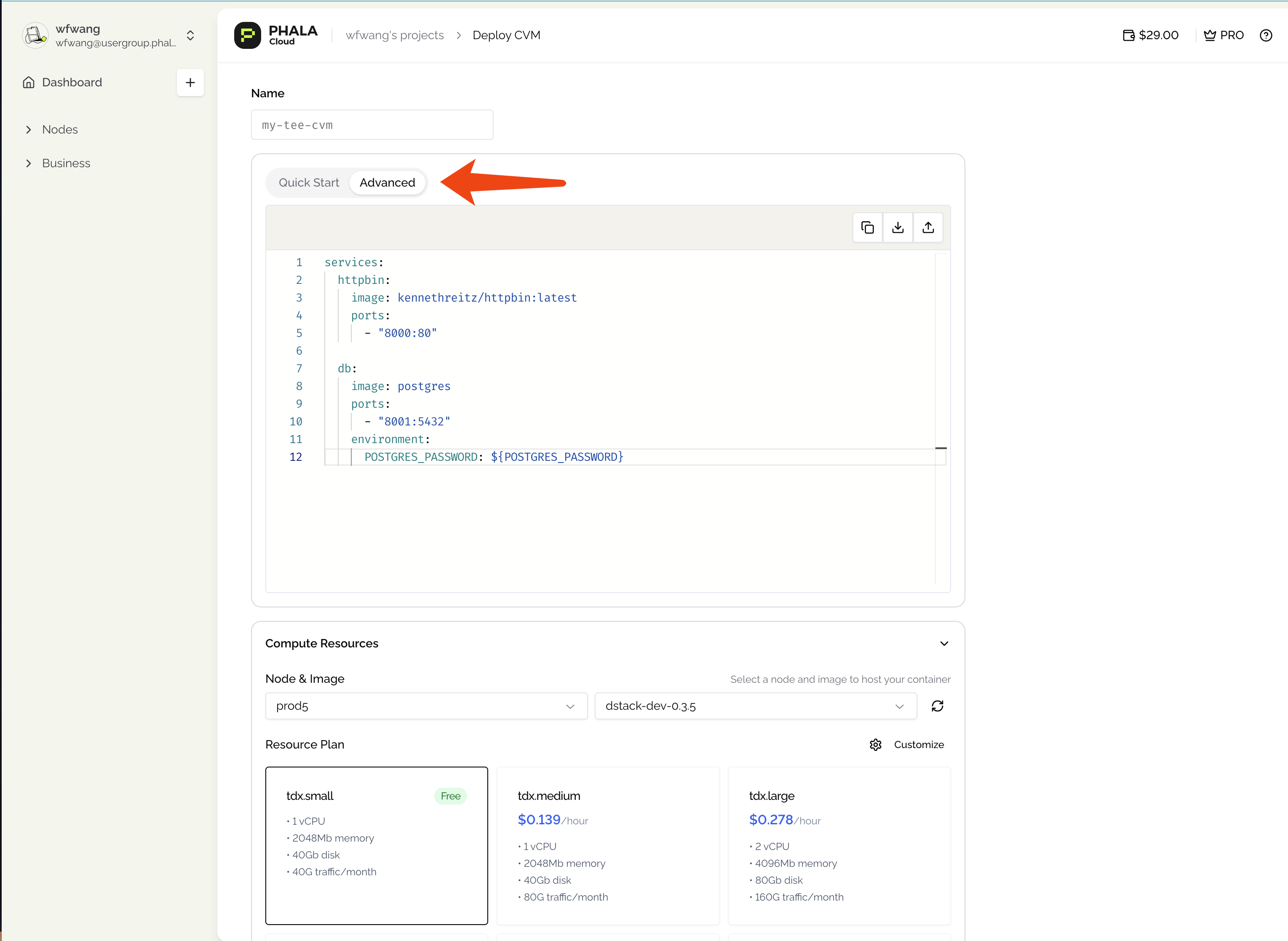 The built-in editor provides syntax highlighting to help you review configuration before deployment.
## Next Steps
* [Set secure environment variables](/phala-cloud/cvm/set-secure-environment-variables)
* [Use a private container registry](/phala-cloud/cvm/create-with-private-docker-image)
* [Expose your service over HTTPS](/phala-cloud/networking/expose-http-service)
The built-in editor provides syntax highlighting to help you review configuration before deployment.
## Next Steps
* [Set secure environment variables](/phala-cloud/cvm/set-secure-environment-variables)
* [Use a private container registry](/phala-cloud/cvm/create-with-private-docker-image)
* [Expose your service over HTTPS](/phala-cloud/networking/expose-http-service)