> ## Documentation Index
> Fetch the complete documentation index at: https://docs.phala.com/llms.txt
> Use this file to discover all available pages before exploring further.
# Playground
> Learn how to use Open-WebUI to play with Confidential AI models
This feature works for both API Access and Dedicated Models.
## How to setup playground environment
If you want to interact with Confidential AI models with web UI instead of command line tools, we recommend using Open-WebUI. It is a web-based interface for Confidential AI models. It allows you to play with models, test prompts, and visualize the results in real-time.
## Deploy Open-WebUI
You could deploy Open-WebUI on your local machine or Phala Cloud.
It is recommended to deploy Open-WebUI on Phala Cloud with this [Open-WebUI one-click deploy template](https://cloud.phala.com/templates/open-webui). Or if you prefer try it locally, you could deploy it on your local machine with this [docker compose file](https://github.com/Phala-Network/phala-cloud/blob/main/templates/prebuilt/openwebui/docker-compose.yml).
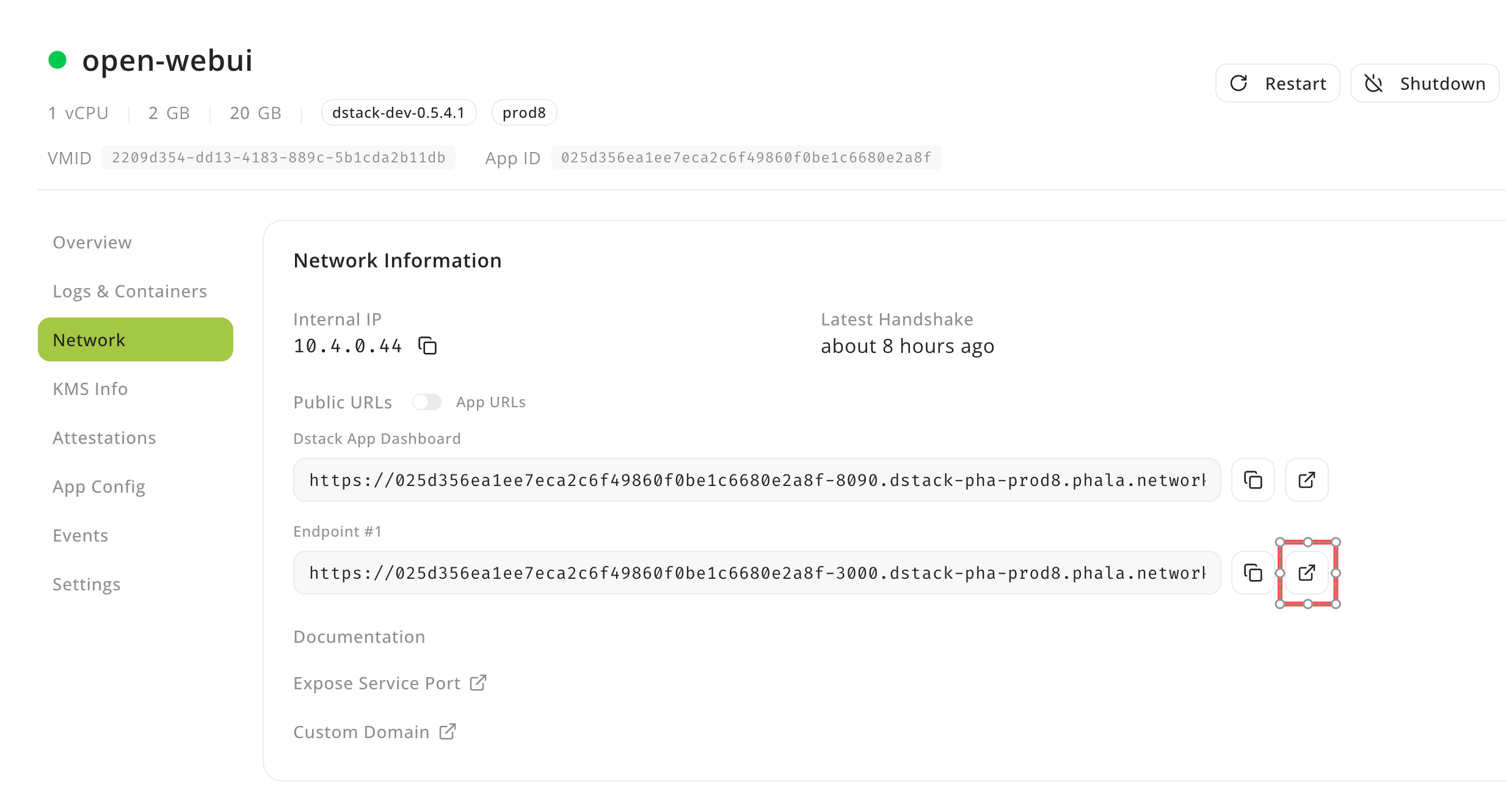
If you deploy Open-WebUI on Phala Cloud, once it is deployed, you could access it by opening the `Endpoint #1` in Network tab of CVM instance details.
 ## Configure Open-WebUI
Open-WebUI need to be configured with API key and base URL to connect to Confidential AI API.
1. Click right top user icon, and click `Admin Panel` to open Settings page.
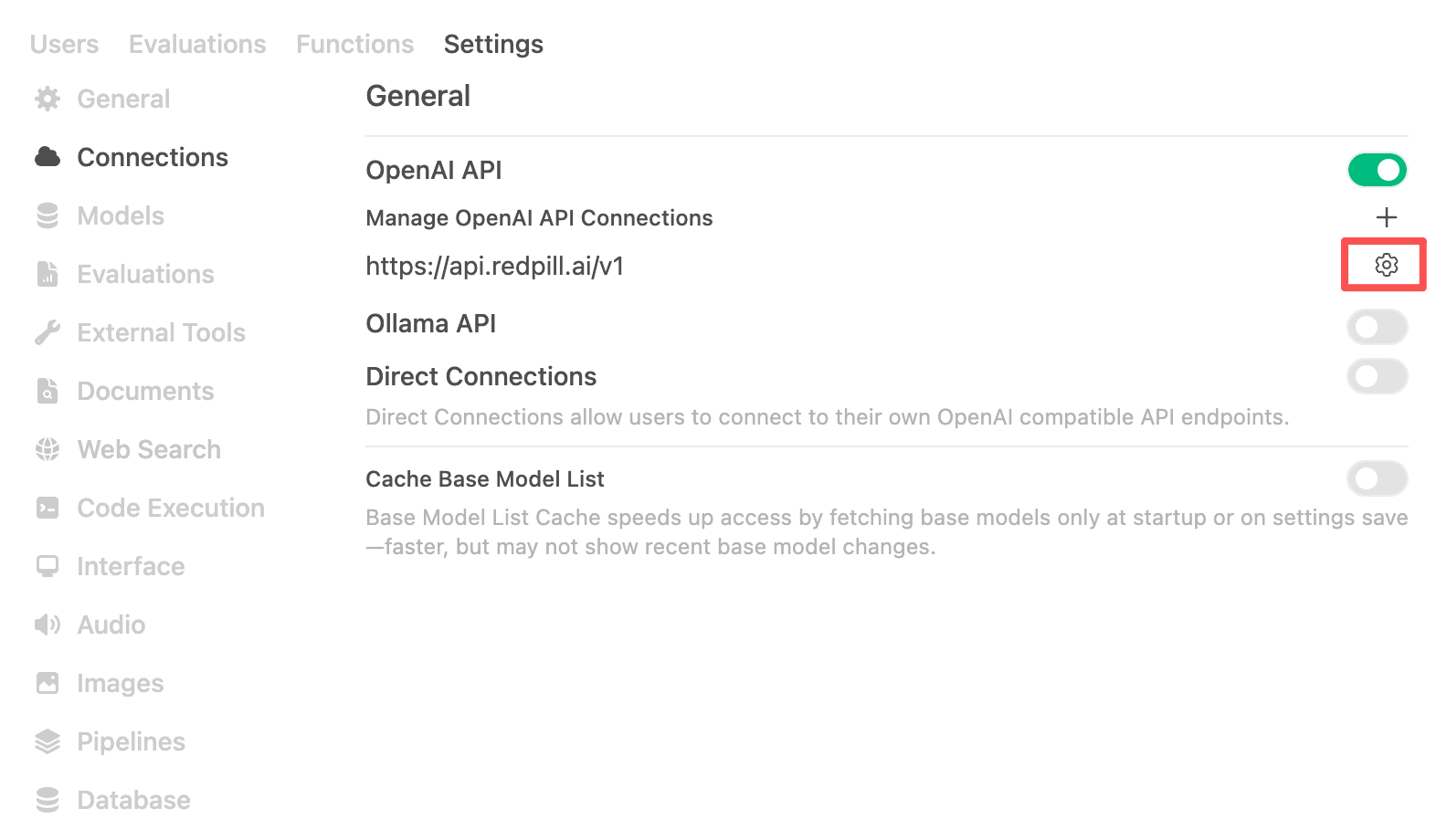
2. Click `Connection` navigation item to open Connection settings page.
3. In Connection settings page, click setting icon to fill in the `URL` with `https://inference.phala.com/v1`, input Bearer token with your API key, and then click `Save` button.
4. Once the connection is saved, you could start using Open-WebUI to play with Confidential AI models.
## Configure Open-WebUI
Open-WebUI need to be configured with API key and base URL to connect to Confidential AI API.
1. Click right top user icon, and click `Admin Panel` to open Settings page.
2. Click `Connection` navigation item to open Connection settings page.
3. In Connection settings page, click setting icon to fill in the `URL` with `https://inference.phala.com/v1`, input Bearer token with your API key, and then click `Save` button.
4. Once the connection is saved, you could start using Open-WebUI to play with Confidential AI models.
 In this private playground environment, you could play with Confidential AI models with highly secure and private data without any data leakage.